Here’s a set of common Lightning Web Components (LWC) interview questions along with their answers: 1. What is LWC and how is it different from Aura Components? Answer: Lightning Web Components (LWC) is a lightweight framework built on modern web standards, designed to simplify building web components on the Salesforce Lightning Platform. It is differentContinue reading “LWC Interview Questions”
Category Archives: Lightning
integrating with Apex using lwc
Integrating Lightning Web Components (LWC) with Apex in Salesforce is a powerful way to leverage server-side processing for your client-side applications. This integration enables you to access Salesforce data, perform complex business logic, and maintain security controls. Let’s explore this integration in detail. 1. Understanding the Role of Apex: Apex is Salesforce’s server-side programming language,Continue reading “integrating with Apex using lwc”
Data binding in LWC
Data binding in Lightning Web Components (LWC) is a core concept that enables developers to connect data sources and UI elements efficiently. Understanding and utilizing data binding effectively can greatly enhance the interactivity and responsiveness of applications built on the Salesforce platform. This overview will cover the essentials of data binding in LWC, illustrate itContinue reading “Data binding in LWC”
Event handling in lwc
Event handling in LWC allows you to capture and respond to various events triggered by user interactions or system events. Here’s a guide on how to handle events in Lightning Web Components: 1. Handling DOM Events: You can handle standard DOM events like click, change, input, etc., directly in your HTML template. Example: 2. DispatchingContinue reading “Event handling in lwc”
Create Your First LWC
let’s create a simple “Hello World” Lightning Web Component (LWC). 1. Create a New LWC Project: Open your terminal and run the following commands: 2. Enable LWC: If LWC is not enabled in your Salesforce org, enable it by running: 3. Create Your First Lightning Web Component: Run the following command to create a newContinue reading “Create Your First LWC”
Color picker in lwc
To implement a color picker in a Lightning Web Component (LWC), you can use an HTML input element with type=”color”. Here’s a basic example of how you can create a color picker in an LWC: In this example: This is a basic example to get you started. Depending on your requirements, you may need toContinue reading “Color picker in lwc”
Display Modal in LWC
Problem: I need to display Lightning Modal when a button is clicked. I want to display that button in custom lwc component. Solution: We will be creating a LWC component using lightning-modal-* tags. What is a Modal? The modal is a window that is displayed over the existing application and deactivates the functionality of theContinue reading “Display Modal in LWC”
Create an Email as a Quick Action in Salesforce LWC
Let’s first understand why we need to create an email as a quick action. Problem Statement: Sending an email through quick action is not available for some of the salesforce objects out of the box. For eg. Contact. Solution: We create lwc component using (Global) Send Email action and then create quick action using thisContinue reading “Create an Email as a Quick Action in Salesforce LWC”
Evaluate Current User for Flow – 15 – 18 digit User ID
Sometimes, you want to compare record’s owner with current owner in flow to proceed but {!User.Id} returns 15 digit id but record Owner field is returns an 18 digit id. So comparing becomes difficult here. So, you will have to use casesafeId as shown below- Check below snapshot to know why you need to useContinue reading “Evaluate Current User for Flow – 15 – 18 digit User ID”
Most Used Git commands using Bitbucket
Most Used Git Commands- Setting User Name Setting Email Setting Code Editor To see global git configuration Creates a brand new Git repository. Adding a remote repository To check all the branches To check what branch we are currently on To check status of current working branch To stage specific file To stage all files Commit withContinue reading “Most Used Git commands using Bitbucket”
Custom Aura Tokens and how to use them in lwc?
Custom Aura tokens: You can capture essential values of your visual design into Custom Aura tokens. Define a token value once and reuse it in your lightning component’s css. Advantage: Tokens make it easy to ensure that your design is consistent and even easier to update your design as it evolves. Steps To Create AuraContinue reading “Custom Aura Tokens and how to use them in lwc?”
How to set lwc lightning-textarea height?
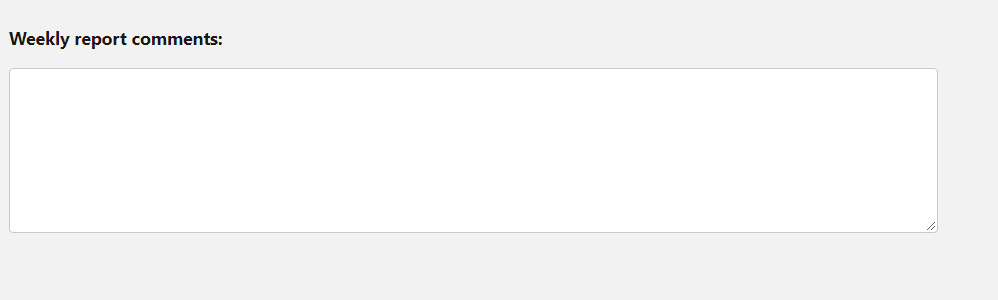
Most people find it difficult to set appropriate height of lightning-textarea. There is workaround for it using –sds-c-textarea-sizing-min-height css property, which we will explain using below coding example-
lightning-textarea – How to set its height?
A lightning-textarea component creates an HTML textarea element for entering multi-line text input. A textarea field can hold an unlimited number of characters or a maximum number of character specified by the max-length attribute. If disabled, the field is grayed out and you can’t interact with it. A required textarea field displays an error ifContinue reading “lightning-textarea – How to set its height?”
How to change color and size of lightning icons?

In this post, we will explain how color and size of lightning icons can be changed.
Updating a record in lwc without using apex
You can update any individual record in lwc using ui api i.e without writing any piece of apex logic. All you need to do it to import uiRecordApi class as shown below- then call this method as shown below in your js handler (save method which you want to call from save button) –
TypeError: can’t define property “x”: “obj” is not extensible
Problem: In LWC, when reassigning value in cloned javascript object, you get this error. For eg. Solution: First stringify js object and then parse it to clone as shown below- Reason: The JavaScript exception “can’t define property “x”: “obj” is not extensible” occurs when Object.preventExtensions() marked an object as no longer extensible, so that it will neverContinue reading “TypeError: can’t define property “x”: “obj” is not extensible”
SFDC Dynamic Image Component (LWC)
Problem: Currently its very hard to add proper size image to the app builder or lightning community builder dynamically. Solution: In order to solve the above problem, I have build a reusable component which will display image based on the configurable height, width and static resource name where image is uploaded. Basically, We will createContinue reading “SFDC Dynamic Image Component (LWC)”
Send Custom Bell/Push Notification (LWC)
sendCustomNotification.html sendCustomNotification.js sendCustomNotification.js-meta.xml CustomNotificationFromApex NotificationWrapper
LWC Inside Flow with Custom Footer
Let’s create a LWC component first- contactInfoFlowLWC.html contactInfoFlowLWC.js contactInfoFlowLWC.js-meta.xml Now lets create a flow & use lightning component inside it- Now add this flow on home page screen- Demo:
Creating a generic Modal
Modal.html Modal.js modal.js-meta.xml Testing this generic Modal testModal.html testModal.js Now add this test component in app builder. You should see output as shown below when you click on ‘open modal’ button-
Apex Class Explorer using Custom LWC
apexClassExplorer.html apexClassExplorer.js apexClassExplorerController apexClassExplorer.xml
LIGHTNING TREE GRID WITH SEARCH FUNCTIONALITY
treeGridWithSearch.html treeGridWithSearch.js
Migrating Files between Salesforce Orgs
There are 3 main stages for org-to-org File migration: Step 1 Use the Data Export function in Salesforce to export the Files. Check the box ‘Include Salesforce Files and Salesforce CRM Content document version’. You don’t need to export the actual data. This creates one or more zip files. When you extract them, look out for theContinue reading “Migrating Files between Salesforce Orgs”
Lightning: Populating Email Body of chatter Email using Email Templates
Requirement: User should be able to choose temples and then populate email body in chatter email based on Email Template as shown below- Solution: We will create following lightning Aura component and will drop just above the Chatter Email. Let’s take a look at the code- UpdateEmailComponent.cmp UpdateEmailComponentController.js UpdateEmailComponentHelper.js ContactListCompController.apxc Please note: Email to CaseContinue reading “Lightning: Populating Email Body of chatter Email using Email Templates”
Allow Lightning Web Components to appear in Lightning Communities
Allowing component in Community Builder:Open your .js-meta.xml file, (ex. myLightningWebComponent.js-meta.xml) andset isExposed to true. This will expose the component in all orgs and in Lightning App Builder and Community Builder. Add the targets field in the LightningComponentBundle root with lightningCommunity__Page as a target. Targets define what type of page you want your component to beContinue reading “Allow Lightning Web Components to appear in Lightning Communities”
Dynamic Forms in Salesforce Lightning
Sometimes there is a requirement where you want to show/hide certain fields based on some criteria but that was not possible with standard salesforce layout and thats why dynamic forms came into picture. With dynamic forms we can customize highlighted panel and the detail view of the record page. On the highlighted panel, you canContinue reading “Dynamic Forms in Salesforce Lightning”
Create your own Launch pad in Salesforce Lightning
Like App Launcher, Launchpad lets user quickly access the information they need. Using launchpad, you can access visualforce pages, lightning web components, lightning components directly without creating any tab. There is a standard lightning component named as ‘LaunchPad’ which can use on following lightning pages- Home Page Record Page App Page Approach is simple toContinue reading “Create your own Launch pad in Salesforce Lightning”
How to access custom attributes from an event object
You can use following two approach to access attribute value from event object- Approach 1 – Retrieve using standard Attribute: Here we can use name attribute. We access the attribute value using event.target.{attribute name}. Check printNameAttribute method in below code which retrieves value from Name attribute. Approach 2 – Retrieve using Custom Attribute: Here weContinue reading “How to access custom attributes from an event object”
 SFDC Arjuna