Implementing reCAPTCHA v3 in Salesforce involves integrating the reCAPTCHA v3 API into your Salesforce org to add an additional layer of security to your web forms and prevent spam or abusive bot traffic. Here’s a step-by-step guide to implementing reCAPTCHA v3 in Salesforce: Replace YOUR_SITE_KEY with your reCAPTCHA site key. Replace YOUR_SITE_KEY with your reCAPTCHAContinue reading “Implementing reCAPTCHA v3 in Salesforce”
Author Archives: Sandeep Kumar
Working with Salesforce Email Approval Response
Email approval response allows users to approve or reject approval requests by simply replying to the Approval request email received after the record is submitted for approval. Salesforce Email approval response allows users to approve or reject approval requests by simply replying to the Approval request email received after the record is submitted for approval.Continue reading “Working with Salesforce Email Approval Response”
How to revert git repository to previous commit?
Problem: Sometimes, we commit code mistakenly in the branch and we want to remove the mistakenly committed code. Solution: We can use the git reset command to reset our changes to commit id up to which we want to revert our code changes using below three steps (git commands)- git log –oneline Use this commandContinue reading “How to revert git repository to previous commit?”
Setting up vs code with bitbucket
Create a folder for your code and open git bash inside this folder by clicking right click like this- Get clone by clicking on clone button like this and paste in git bash and press enter- project folder will be created inside your local branch folder. Now move to this project folder using below command-Continue reading “Setting up vs code with bitbucket”
Files are uploaded as Salesforce Files and not as Attachments
Enabling the ‘Files uploaded to the Attachments related list on records are uploaded as Salesforce Files, not as attachments’ feature will add any newly uploaded documents from the Notes and Attachments related list in Classic as Salesforce Files. In Salesforce Classic In Lightning Experience Reference: https://help.salesforce.com/s/articleView?id=000380667&type=1
Mass Insert Custom Metadata Type Records
Error Logging Mechanism in Salesforce
We must handle error properly while writing a piece of logic in Salesforce. In case of error, we can capture error logs and throw error as well. Problem: If we try to insert logger before throwing error, logger record is not created because its roll backed because of exception throwing even if we use futureContinue reading “Error Logging Mechanism in Salesforce”
Evaluate Current User for Flow – 15 – 18 digit User ID
Sometimes, you want to compare record’s owner with current owner in flow to proceed but {!User.Id} returns 15 digit id but record Owner field is returns an 18 digit id. So comparing becomes difficult here. So, you will have to use casesafeId as shown below- Check below snapshot to know why you need to useContinue reading “Evaluate Current User for Flow – 15 – 18 digit User ID”
Most Used Git commands using Bitbucket
Most Used Git Commands- Setting User Name Setting Email Setting Code Editor To see global git configuration Creates a brand new Git repository. Adding a remote repository To check all the branches To check what branch we are currently on To check status of current working branch To stage specific file To stage all files Commit withContinue reading “Most Used Git commands using Bitbucket”
Introduction to Visualforce
Introduction Visualforce is a framework that allows developers to build custom user interfaces that can be hosted natively on the Force.com platform. The Visual Force framework includes a tag-based markup language, similar to HTML. Developers can write/modify visualforce pages and associate their own logic with a controller class written in Apex. Where we can use visualforce pages? Visualforce pages can beContinue reading “Introduction to Visualforce”
LWC : How to set default values when you clone a record?
Problem: Currently we have no standard way to populate default values while cloning records in salesforce. For eg. If I want to clone a Case record, I have a requirement to set Status field as Open on UI while cloning. Approach: We will be using create new record page feature of lwc to implement thisContinue reading “LWC : How to set default values when you clone a record?”
How to align contents vertically in html?
HTML CSS3: Note:
Install Visual studio code and create a lwc component
You need CLI for VsCode, so let’s install the CLI before we install visual studio code- Install the Command Line Interface (CLI) Install Visual Studio Code (VsCode) We have installed cli and vscode. Now we need to create project first in vscode before creating a lwc component. So, lets create a project first and authorizeContinue reading “Install Visual studio code and create a lwc component”
Custom Aura Tokens and how to use them in lwc?
Custom Aura tokens: You can capture essential values of your visual design into Custom Aura tokens. Define a token value once and reuse it in your lightning component’s css. Advantage: Tokens make it easy to ensure that your design is consistent and even easier to update your design as it evolves. Steps To Create AuraContinue reading “Custom Aura Tokens and how to use them in lwc?”
lightning-textarea – How to set its height?
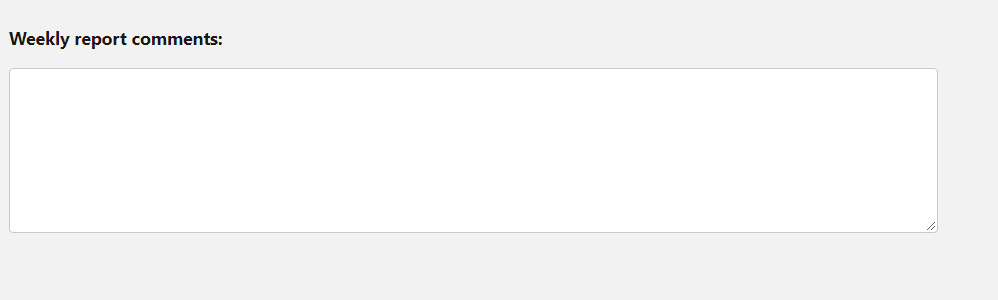
A lightning-textarea component creates an HTML textarea element for entering multi-line text input. A textarea field can hold an unlimited number of characters or a maximum number of character specified by the max-length attribute. If disabled, the field is grayed out and you can’t interact with it. A required textarea field displays an error ifContinue reading “lightning-textarea – How to set its height?”
How to set lwc lightning-textarea height?
Most people find it difficult to set appropriate height of lightning-textarea. There is workaround for it using –sds-c-textarea-sizing-min-height css property, which we will explain using below coding example-
How to change color and size of lightning icons?

In this post, we will explain how color and size of lightning icons can be changed.
Updating a record in lwc without using apex
You can update any individual record in lwc using ui api i.e without writing any piece of apex logic. All you need to do it to import uiRecordApi class as shown below- then call this method as shown below in your js handler (save method which you want to call from save button) –
TypeError: can’t define property “x”: “obj” is not extensible
Problem: In LWC, when reassigning value in cloned javascript object, you get this error. For eg. Solution: First stringify js object and then parse it to clone as shown below- Reason: The JavaScript exception “can’t define property “x”: “obj” is not extensible” occurs when Object.preventExtensions() marked an object as no longer extensible, so that it will neverContinue reading “TypeError: can’t define property “x”: “obj” is not extensible”
How to get current day in salesforce(Apex)
Please use format method of DateTime class to print day of week and day of month. Please see the below example which printing day of week and month to the debug log-
Web Server Flow using PKCE (Salesforce/SFDC)
Problem Statement: We get authorization code in the callback url and hacker can intercept the auth code and this way, without user’s knowledge, he can get access token and then salesforce resources if he has access to connect app’s client and client secret. Solution: Salesforce recommends web server flow with Proof Key for Code forContinue reading “Web Server Flow using PKCE (Salesforce/SFDC)”
How to get key-prefix of salesforce object?
Sometimes while writing your code in trigger, you need to identify objects based on record id of the record. So, first three character of the recordId which is called key-prefix is used to identify object in code. For eg. a0u is the keyprefix which is used to identify Custom_Network_Case__c object as shown in below urlContinue reading “How to get key-prefix of salesforce object?”
Connected app for Web Server flow (Salesforce/SFDC)
In following vedio, I will be explaining how we can setup a connected app for web server flow. I will also be explaining how to revoke user’s access. Check out this blog post for more information
OAuth 2.0 Web Server Flow for Web App Integration (SFDC, Salesforce)
Problem: User want to create contact in one salesforce org from another salesforce org and as a web developer we don’t want to expose user’s credentials to the web application otherwise owner of the web app/hacker may misuse this information if web application is not much secure. Solution: We will use web server flow inContinue reading “OAuth 2.0 Web Server Flow for Web App Integration (SFDC, Salesforce)”
Send email from salesforce using gmail api
There is a maximum of 5,000 emails that can be sent within a 24 hour period from the salesforce. We can use gmail api in this case to send email without any limit. So, in this tutorial, we will explain how you can use gmail api to send email from salesforce.
How to delete all debug logs in Salesforce
Problem: By default, there is no feature in salesforce we can delete all debug logs on single click of a button. As you can see in below screenshot, you have ‘Delete All’ button but when click on this button, it deletes only a bunch of logs. Solution: You need to run below command in javascriptContinue reading “How to delete all debug logs in Salesforce”
SFDC Dynamic Image Component (LWC)
Problem: Currently its very hard to add proper size image to the app builder or lightning community builder dynamically. Solution: In order to solve the above problem, I have build a reusable component which will display image based on the configurable height, width and static resource name where image is uploaded. Basically, We will createContinue reading “SFDC Dynamic Image Component (LWC)”
Send Custom Bell/Push Notification (LWC)
sendCustomNotification.html sendCustomNotification.js sendCustomNotification.js-meta.xml CustomNotificationFromApex NotificationWrapper
LWC Inside Flow with Custom Footer
Let’s create a LWC component first- contactInfoFlowLWC.html contactInfoFlowLWC.js contactInfoFlowLWC.js-meta.xml Now lets create a flow & use lightning component inside it- Now add this flow on home page screen- Demo:
Creating a generic Modal
Modal.html Modal.js modal.js-meta.xml Testing this generic Modal testModal.html testModal.js Now add this test component in app builder. You should see output as shown below when you click on ‘open modal’ button-
Apex Class Explorer using Custom LWC
apexClassExplorer.html apexClassExplorer.js apexClassExplorerController apexClassExplorer.xml
LIGHTNING TREE GRID WITH SEARCH FUNCTIONALITY
treeGridWithSearch.html treeGridWithSearch.js
QR Code Scanning
Download javascript file from here and upload as static resource in your salesforce org with name ‘Html5QRCode’ Now create a visualforce page using below code- Above code is self explanatory. Upon successful scanning, this code will redirect you the website related to your QR code. Credit for this QRCode JS library goes to Minhazav
Building Resilient Integration in case error occurs during execution of batch Apex Class
When you are integrating with external system using Batch Apex, you can implement Database.RaisesPlatformEvents interface to generate BatchApexErrorEvent event which external system can subscribe to listen in case of error. Streaming API Subscription Channel: /event/BatchApexErrorEvent Example: Listening to the event using trigger: Test Class: Note: Please don’t forget to use ‘Test.getEventBus().deliver();’ to fire platform eventContinue reading “Building Resilient Integration in case error occurs during execution of batch Apex Class”
Migrating Files between Salesforce Orgs
There are 3 main stages for org-to-org File migration: Step 1 Use the Data Export function in Salesforce to export the Files. Check the box ‘Include Salesforce Files and Salesforce CRM Content document version’. You don’t need to export the actual data. This creates one or more zip files. When you extract them, look out for theContinue reading “Migrating Files between Salesforce Orgs”
Preparation for Salesforce Integration Architect Exam Certificate
Topics Weightage No of Questions in exam Evaluate Current System Landscape 8 5 Evaluate business needs 11 7 Translate needs to Integration Requirements 22 13 Design Integration Solutions 28 17 Build solution 23 14 Maintain Integration 8 5 Weightage of Topics Please refer below trailhead for preparation of above topics- https://trailhead.salesforce.com/en/users/strailhead/trailmixes/architect-integration-architecture
How get field’s label in apex?
Let’s say you want to get label of Opportunity Stage field, you need to use- Opportunity.StageName.getDescribe().getLabel()
How to open CSV files with the correct delimiter/separator in excel
Adding “sep=;” or “sep=,” to the CSV When you have a CSV that is separated by semicolons (;) and your system/Excel default is commas (,), you can add a single line to tell Excel what delimiter to use when opening the file. To do this: Open your CSV using a text editor. Windows: NotePad (notepad.exe) Mac:Continue reading “How to open CSV files with the correct delimiter/separator in excel”
Salesforce Chat Agent (Advanced)
This blog assumes you have basic understanding of chat agent configurations. So once you have created ‘Embedded Service Deployments’, you have to ‘Chat Code Snippet share it to the customer portal. Now there is below requirement- For Available Chat Agents- New Contact should not be created. Contact should be searched based on combination of firstContinue reading “Salesforce Chat Agent (Advanced)”
Lightning: Populating Email Body of chatter Email using Email Templates
Requirement: User should be able to choose temples and then populate email body in chatter email based on Email Template as shown below- Solution: We will create following lightning Aura component and will drop just above the Chatter Email. Let’s take a look at the code- UpdateEmailComponent.cmp UpdateEmailComponentController.js UpdateEmailComponentHelper.js ContactListCompController.apxc Please note: Email to CaseContinue reading “Lightning: Populating Email Body of chatter Email using Email Templates”
Getting Record Type in Apex (Salesforce)
This post will explain the various ways to get RecordTypeId, RecordType DeveloperName or Record Type Label in apex – Getting record type information using Record Type Label– Getting record type information using Record Type DeveloperName– Getting record type information using Record Type Id–
Getting Record Type Id in Salesforce
Getting record type using Record Type Name– Getting record type using Record Type Developer Name–
Allow Lightning Web Components to appear in Lightning Communities
Allowing component in Community Builder:Open your .js-meta.xml file, (ex. myLightningWebComponent.js-meta.xml) andset isExposed to true. This will expose the component in all orgs and in Lightning App Builder and Community Builder. Add the targets field in the LightningComponentBundle root with lightningCommunity__Page as a target. Targets define what type of page you want your component to beContinue reading “Allow Lightning Web Components to appear in Lightning Communities”
Single Sign On(SSO) – Salesforce To Salesforce
We will be connecting one salesforce org (identity provider) to another salesforce org (service provider) using SAML. Let’s jump to the steps with screenshots to understand this better – Do this in Identity provider Org: Enable Identity provider & Download the certificate– Go to Setup -> Identity Provider Click on ‘Enable Identity Provider’. Select existingContinue reading “Single Sign On(SSO) – Salesforce To Salesforce”
Outbound Messaging
Outbound messaging uses the notifications() call to send SOAP messages over HTTP(S) to a designated endpoint when triggered by a workflow rule. Outbound endpoints are continuously listening for the events. What is outbound Message? Is a notification() SOAP API call A single SOAP message can include upto 100 notifications. Each notification contains the object ID and aContinue reading “Outbound Messaging”
Salesforce Integration Patterns
Salesforce Integration Patterns Overview: Over the years, developers around the world have developed some patterns to solve common integration problems, we call them Integration patterns. Same is the case with salesforce when we want to integrate salesforce with other systems. We have some predefined patterns in salesforce, we call it Salesforce Integration Patterns. Usually oneContinue reading “Salesforce Integration Patterns”
Integration Design Patterns
We use following integration patterns in salesforce- Request & Reply – Salesforce need to wait for response to complete the process. Fire & Forget – Salesforce calls the remote system, but doesn’t wait for the call’s successful completion. Batch Data Synchronization – Data Replication/Synchonization between systems which is done in a batch manner. Remote Call-InContinue reading “Integration Design Patterns”
Data Virtualization (Integration design pattern)
Salesforce accesses external data in real time. This removes the need to persist data in Salesforce and then reconcile the data between Salesforce and the external system. Solutions: Use Salesforce Connect to access data from external sources, along with your Salesforce data. Pull data from legacy systems such as SAP, Microsoft, and Oracle in realContinue reading “Data Virtualization (Integration design pattern)”
UI Update Based on Data Changes (Integration design pattern)
The Salesforce user interface must be automatically updated as a result of changes to Salesforce data. Solution: This solution is composed of the following components: This solution has the following limitations: This solution has the following benefits: For all Design Patterns, please refer this.
 SFDC Arjuna