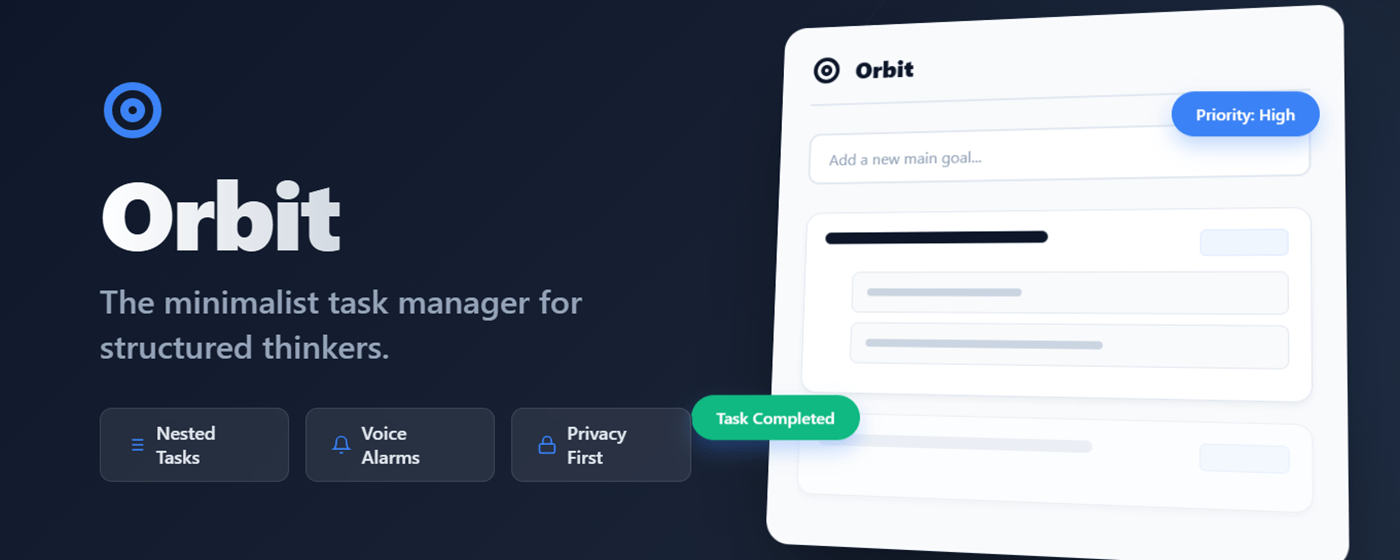
We all have that one big goal that sits on our to-do list for weeks. It stares at us, daunting and vague. “Write Book,” “Launch Website,” “Organize Life.” The problem isn’t the goal; it’s the lack of structure. Standard to-do lists are flat—they treat “Buy Milk” and “Build a House” as equals. Enter Orbit. OrbitContinue reading “Stop Drowning in To-Do Lists: Launch Your Productivity with Orbit”
Author Archives: Sandeep Kumar
Transform Your Binge-Watching with Netflix Master Skipper Pro
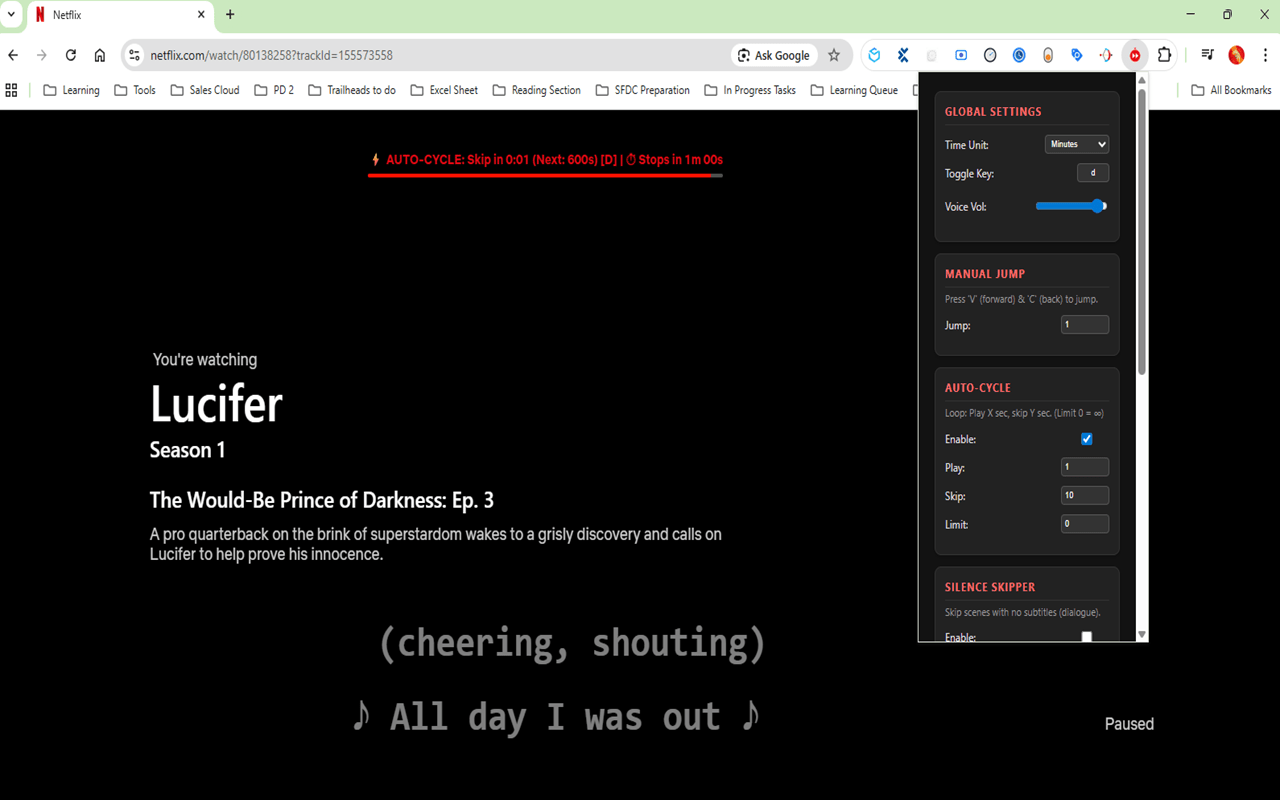
Netflix Master Skipper Pro is a Chrome extension that automates skipping intros, silence, and controls playback for an enhanced viewing experience.
Dealing with Slow Salesforce Deployments? Try Resetting Your Source Tracking
If you’ve been working in a Salesforce DX project for a while, you might notice that running sf project deploy start begins to feel sluggish. Sometimes, it stays stuck at “Polling for status” or “Initializing” for minutes before any actual progress occurs. Recently, I encountered this exact issue. After trying a few different angles, theContinue reading “Dealing with Slow Salesforce Deployments? Try Resetting Your Source Tracking”
Pomodoro Timer (By Sandy) with Voice Assistant
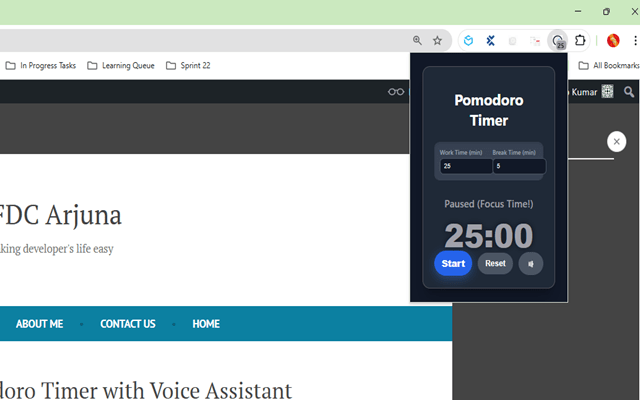
The Cyclical Pomodoro Timer enhances productivity by automatically starting work sessions, providing voice cues, and enabling customizable work/break cycles.
🔍 Understanding Where Salesforce (SFDX) Environments Are Stored in VS Code
When you’re working with Salesforce DX (SFDX) in Visual Studio Code, you often connect to multiple Salesforce orgs — such as Developer Orgs, Sandboxes, or Scratch Orgs.But have you ever wondered where these environments are actually stored? Let’s break it down in simple terms 👇 🧩 What Are Salesforce (SFDX) Environments? In SFDX, “environments” referContinue reading “🔍 Understanding Where Salesforce (SFDX) Environments Are Stored in VS Code”
Download Recent Salesforce Debug Logs Using Salesforce CLI
Debug logs are an essential tool for Salesforce developers and admins. They help trace code execution, identify issues, and monitor system behavior. While you can view logs directly in Salesforce Setup, downloading multiple logs at once can be tedious. Thankfully, the Salesforce CLI (sf) makes this process quick and easy. Using sf apex get logContinue reading “Download Recent Salesforce Debug Logs Using Salesforce CLI”
Simple Timer (By Sandy): A Chrome Extension That Talks to You
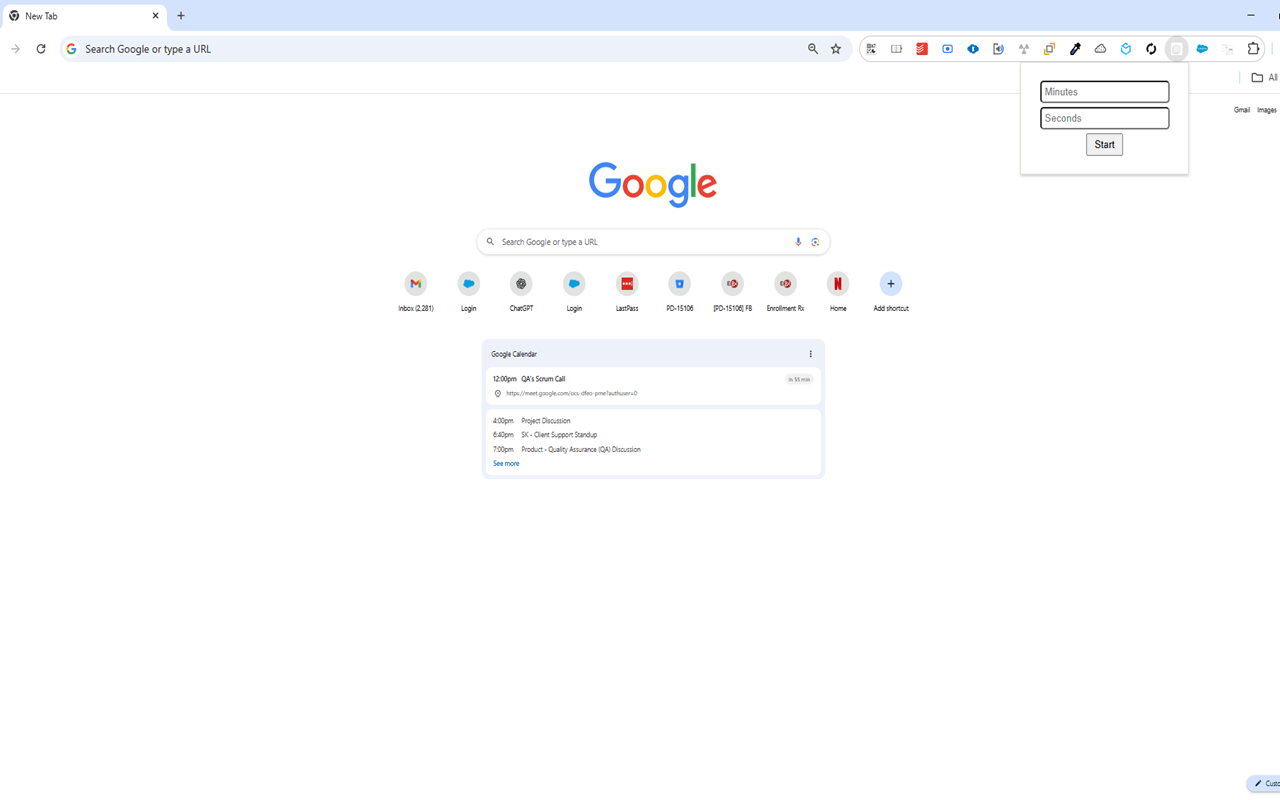
Simple Timer is a Chrome Extension that counts down and audibly alerts users with “Time’s up!” when time expires, enhancing productivity.
How to Perform a Git Hard Pull (Without Regret)
When collaborating in Git, it’s not uncommon to find your local branch out of sync with the remote—especially when you’ve made changes that conflict or aren’t needed anymore. If you just want to wipe your local changes and sync exactly with the remote, there’s a powerful (but dangerous) combo: git reset –hardgit pull In thisContinue reading “How to Perform a Git Hard Pull (Without Regret)”
Cleaning Up Test Data Efficiently Using a Batch Apex Job in Salesforce
✅ Problem Statement (Refined & Expanded) In many Salesforce development or QA environments, repeated testing often leads to the creation of thousands of test records across multiple objects. Whether you’re testing a data import process, automation rules, integrations, or user journeys — each test run leaves behind a trail of test data. Over time, thisContinue reading “Cleaning Up Test Data Efficiently Using a Batch Apex Job in Salesforce”
How to delete salesforce files using apex?
Deleting files linked to record- Deleting files which are not linked to record- you can delete files based on title match like below-
How to Create a List View Button to Delete Selected Records in Salesforce
Salesforce makes it easy to work with records in bulk using List Views, but when it comes to deleting multiple records directly from a List View — there’s no native “Delete Selected” button. That’s where this solution comes in! In this blog post, we’ll show you how to create a custom List View button thatContinue reading “How to Create a List View Button to Delete Selected Records in Salesforce”
Efficient Debugging in Apex: A Guide to Using the DebugUtil Class
In the world of Salesforce development, efficient debugging is crucial. The DebugUtil class is a powerful tool that helps capture and print debug messages effectively. Let’s dive into how you can leverage this class for streamlined debugging. Features of DebugUtil Class How to Use DebugUtil Adding Messages: By using addMessage(), you can capture and storeContinue reading “Efficient Debugging in Apex: A Guide to Using the DebugUtil Class”
Streamline your File Management Operations in Salesforce
Finding the time to manage your files in Salesforce can feel like a juggling act – especially when you keep your business running while dealing with multiple documents, attachments, and data across different departments. What if there was a way to streamline your file management operations, cut clutter, and keep everything in one easy-to-find place?Continue reading “Streamline your File Management Operations in Salesforce”
How to retrieve all debug logs using git bash
Salesforce Forms for Faster Client Onboarding & Smoother Business Processes
Client onboarding can often be a tedious task that doesn’t get the attention to detail that it requires. By choosing to combine the Salesforce platform with your client onboarding experience, you can transform this cumbersome, time-consuming task into an effortless, and dare we say, enjoyable experience. Forms for Salesforce makes this a reality by providingContinue reading “Salesforce Forms for Faster Client Onboarding & Smoother Business Processes”
Automating Salesforce Code Analysis with PMD Using CI/CD Pipelines
As Salesforce developers, maintaining high-quality code is crucial for ensuring robust and efficient applications. One way to achieve this is by integrating static code analysis tools into your development process. In this blog post, we’ll explore how to set up a CI/CD pipeline to automate Salesforce code analysis using PMD, a popular static code analysisContinue reading “Automating Salesforce Code Analysis with PMD Using CI/CD Pipelines”
How to Authenticate with Salesforce Using JWT
Salesforce is a powerful CRM platform, and connecting to it securely is crucial for accessing and managing data. One of the secure methods to connect with Salesforce is using JSON Web Tokens (JWT). JWT authentication is especially useful for server-to-server integrations where user interaction is not required. This blog post will guide you through theContinue reading “How to Authenticate with Salesforce Using JWT”
How to generate private key and certificate
When working with SSL/TLS and securing communications, it is essential to generate a private key and certificate. OpenSSL is a powerful and widely-used toolkit for managing these cryptographic tasks. Below, I’ll walk you through the process of generating a private key and a self-signed certificate using OpenSSL. Step 1: Install OpenSSL If you don’t haveContinue reading “How to generate private key and certificate”
Create Salesforce Customer Portals to Improve User Experience
To make it in today’s competitive landscape, exceptional user experiences are not a luxury but a necessity. If your business is leveraging Salesforce for your CRM needs, you can take customer interactions to new heights by strategically implementing customer portals. Customer portals in Salesforce provide a seamless, personalized experience where clients can access their data,Continue reading “Create Salesforce Customer Portals to Improve User Experience”
Cloning Records in Salesforce: Methods and Solutions
Cloning a record in Salesforce is a common requirement for many organizations. It involves creating a new record with the same values as an existing one. There are several ways to achieve this, each with its own advantages and limitations. Here, we will explore both the standard Salesforce cloning functionality and an advanced cloning solutionContinue reading “Cloning Records in Salesforce: Methods and Solutions”
Create a search component in lwc
HTML Template 1. searchComponent.html Custom CSS Create or update the CSS file for the component to ensure the search input takes the full width and the overall layout is clean. 2. searchComponent.css Final JavaScript Controller 3. searchComponent.js Ensure the JavaScript controller correctly manages the state of selected contacts and filtered contacts. Step 3: Deploy theContinue reading “Create a search component in lwc”
File upload in public library through lwc and generate public link
To allow file upload to a public library through Lightning Web Component (LWC) and generate a public link, you need to: fileUploader.html fileUploader.js FileUploaderWithPublicLink class Demo Once you select the file and click on upload, file will be uploaded in ‘Asset Library’ library, public link will be generated which you will see at lwc UIContinue reading “File upload in public library through lwc and generate public link”
Important Financial Ratios and Interpretations for Stock Valuation
Here is a table summarizing important financial ratios, their formulas, and interpretations: Ratio Formula Interpretation Price-to-Earnings (P/E) [ \frac{\text{Market Price per Share}}{\text{Earnings per Share (EPS)}} ] A low P/E ratio compared to industry average may indicate undervaluation; suggests how much investors are willing to pay per dollar of earnings. Price-to-Book (P/B) [\frac{\text{Market Price per Share}}{\text{BookContinue reading “Important Financial Ratios and Interpretations for Stock Valuation”
Salesforce Admin Certification Preparation Guide

The Salesforce Admin Certification is designed for individuals who have experience as a Salesforce Administrator. This certification validates the candidate’s ability to manage and maintain a Salesforce implementation, including user setup, security, data management, and customization. 2. Core Exam Topics The Salesforce Admin Certification exam covers the following core topics: 3. Detailed Preparation Guide A.Continue reading “Salesforce Admin Certification Preparation Guide”
Salesforce Service Cloud Consultant Certification Preparation Guide

The Salesforce Service Cloud Consultant certification is designed for professionals who have experience implementing Service Cloud solutions in a customer-facing role. This certification validates a candidate’s ability to design and implement Service Cloud solutions that support customer business processes and requirements using Salesforce applications. The following notes provide a comprehensive overview of the key topics,Continue reading “Salesforce Service Cloud Consultant Certification Preparation Guide”
Salesforce Sales Cloud Certification Guide: Key Concepts and Best Practices

Welcome to your comprehensive guide for Salesforce Sales Cloud Certification. This set of notes is designed to help you master the key concepts and functionalities required to pass the Salesforce Sales Cloud certification exam. The certification focuses on various aspects of Salesforce Sales Cloud, including industry knowledge, implementation strategies, solution design, marketing and leads management,Continue reading “Salesforce Sales Cloud Certification Guide: Key Concepts and Best Practices”
Creating Named Credential in Salesforce using Outh2.0
Creating a Connected App, an Authentication Provider, and a Named Credential in Salesforce for managing OAuth 2.0 integrations involves several steps that work together to secure and simplify external API access. Here’s how to set up each component: Step 1: Create a Connected App A Connected App in Salesforce is used to integrate your SalesforceContinue reading “Creating Named Credential in Salesforce using Outh2.0”
How to create an Apex class using the Tooling API from within a Salesforce LWC and Apex
To create an Apex class using the Tooling API from within a Salesforce Lightning Web Component (LWC) and Apex, you need to make an HTTP callout to the Tooling API. This involves several steps, including setting up the necessary permissions, handling authentication, and constructing the API request. Step 1: Set Up Permissions Ensure your SalesforceContinue reading “How to create an Apex class using the Tooling API from within a Salesforce LWC and Apex”
Einstein Prediction Builder
Einstein Prediction Builder is a tool that allows you to create custom AI models directly within Salesforce, enabling you to predict outcomes based on your Salesforce data. This feature is part of Salesforce Einstein, an integrated set of AI technologies that makes the Salesforce Customer Success Platform smarter. Here’s how Einstein Prediction Builder works andContinue reading “Einstein Prediction Builder”
Einstein Analytics
Einstein Analytics, rebranded as Tableau CRM, is a sophisticated analytics and business intelligence platform that is integrated within the Salesforce ecosystem. It provides advanced AI-driven insights, making it a valuable tool for companies to understand their data deeply and make data-driven decisions effectively. Below are detailed insights into its features, benefits, setup process, industry applications,Continue reading “Einstein Analytics”
Continuous integration
Continuous Integration (CI) is a software development practice where developers frequently merge their code changes into a shared repository, ideally several times a day. Each integration is automatically tested (often using an automated build process) to detect integration errors as quickly as possible. Here’s a breakdown of the key elements and benefits of CI, andContinue reading “Continuous integration”
Salesforce Technical Architect Questions
Preparing for a Salesforce Technical Architect interview involves a deep understanding of Salesforce’s platform, architecture, and best practices. Here’s a broad set of questions divided into different categories relevant to a Salesforce Technical Architect: General Understanding & Conceptual Knowledge Salesforce Products and Features Design and Implementation Data Management Integration and Middleware Performance Optimization Testing andContinue reading “Salesforce Technical Architect Questions”
How would you handle bulk data operations in Salesforce?
Handling bulk data operations in Salesforce efficiently is crucial for maintaining performance and staying within platform limits. Here are several strategies and tools that can be used: 1. Use of Bulk API 2. Batch Apex 3. Data Loader 4. Optimizing Data Operations 5. Using Platform Events and Change Data Capture 6. Parallel Processing 7. MonitoringContinue reading “How would you handle bulk data operations in Salesforce?”
LWC Interview Questions
Here’s a set of common Lightning Web Components (LWC) interview questions along with their answers: 1. What is LWC and how is it different from Aura Components? Answer: Lightning Web Components (LWC) is a lightweight framework built on modern web standards, designed to simplify building web components on the Salesforce Lightning Platform. It is differentContinue reading “LWC Interview Questions”
integrating with Apex using lwc
Integrating Lightning Web Components (LWC) with Apex in Salesforce is a powerful way to leverage server-side processing for your client-side applications. This integration enables you to access Salesforce data, perform complex business logic, and maintain security controls. Let’s explore this integration in detail. 1. Understanding the Role of Apex: Apex is Salesforce’s server-side programming language,Continue reading “integrating with Apex using lwc”
Data binding in LWC
Data binding in Lightning Web Components (LWC) is a core concept that enables developers to connect data sources and UI elements efficiently. Understanding and utilizing data binding effectively can greatly enhance the interactivity and responsiveness of applications built on the Salesforce platform. This overview will cover the essentials of data binding in LWC, illustrate itContinue reading “Data binding in LWC”
Event handling in lwc
Event handling in LWC allows you to capture and respond to various events triggered by user interactions or system events. Here’s a guide on how to handle events in Lightning Web Components: 1. Handling DOM Events: You can handle standard DOM events like click, change, input, etc., directly in your HTML template. Example: 2. DispatchingContinue reading “Event handling in lwc”
Create Your First LWC
let’s create a simple “Hello World” Lightning Web Component (LWC). 1. Create a New LWC Project: Open your terminal and run the following commands: 2. Enable LWC: If LWC is not enabled in your Salesforce org, enable it by running: 3. Create Your First Lightning Web Component: Run the following command to create a newContinue reading “Create Your First LWC”
LWC guide for beginner
Lightning Web Components (LWC) is a powerful framework designed by Salesforce for creating fast and interactive user interfaces. This guide will introduce you to LWC and provide various code examples to help you start building components effectively. What are Lightning Web Components? Lightning Web Components (LWC) is a modern framework built on the latest webContinue reading “LWC guide for beginner”
Color picker in lwc
To implement a color picker in a Lightning Web Component (LWC), you can use an HTML input element with type=”color”. Here’s a basic example of how you can create a color picker in an LWC: In this example: This is a basic example to get you started. Depending on your requirements, you may need toContinue reading “Color picker in lwc”
Salesforce integration with Paypal
Integrating Salesforce with PayPal can streamline payment processing, invoicing, and customer management for businesses using Salesforce as their CRM platform. Here are some common ways to integrate Salesforce with PayPal: When integrating Salesforce with PayPal, businesses should consider security, compliance, and data privacy requirements to ensure that sensitive payment information is handled securely and inContinue reading “Salesforce integration with Paypal”
How to create a scratch org with namespace in salesforce

A scratch org in Salesforce serves as a disposable and configurable Salesforce environment that you can use for various purposes, primarily for development and testing. Here are some reasons why scratch orgs are valuable: Overall, scratch orgs are essential tools for Salesforce developers and administrators to streamline development processes, enhance collaboration, and ensure the qualityContinue reading “How to create a scratch org with namespace in salesforce”
How to create video recorder application in salesforce using lwc
Creating a video recorder application in Salesforce using Lightning Web Components (LWC) involves integrating with the browser’s native media capture API and leveraging Salesforce’s platform capabilities for storing and managing video data. Here’s a high-level overview of how you can implement this: Set Up Lightning Web Components (LWC): Accessing Media Capture API: Recording Video: StoringContinue reading “How to create video recorder application in salesforce using lwc”
Salesforce Service Cloud
Salesforce Service Cloud is a customer service platform that helps businesses deliver exceptional customer support across various channels, including phone, email, chat, social media, and self-service portals. It enables organizations to streamline their customer service operations, improve agent productivity, and enhance customer satisfaction. Key Features of Salesforce Service Cloud: Overall, Salesforce Service Cloud provides aContinue reading “Salesforce Service Cloud”
Generative AI
Generative AI refers to artificial intelligence systems that have the capability to generate content, such as images, text, audio, and even videos, that is similar to what a human might create. These systems are often based on deep learning models, particularly variants of Generative Adversarial Networks (GANs) and autoregressive models like OpenAI’s GPT (Generative Pre-trainedContinue reading “Generative AI”
Lead Management in Salesforce
Lead Management in Salesforce is a vital aspect of the platform, allowing businesses to capture, nurture, and convert leads into opportunities and, ultimately, into loyal customers. Here’s a breakdown of lead management within Salesforce: By leveraging Salesforce’s lead management features effectively, businesses can streamline their sales processes, improve lead conversion rates, and drive revenue growth.
Salesforce Sales Cloud Features
Salesforce Sales Cloud is a robust customer relationship management (CRM) platform tailored specifically for sales teams to streamline their processes, enhance productivity, and drive revenue growth. Here are some key features of Salesforce Sales Cloud: These features collectively empower sales teams to efficiently manage their sales processes, deepen customer relationships, and drive revenue growth withinContinue reading “Salesforce Sales Cloud Features”
Display Modal in LWC
Problem: I need to display Lightning Modal when a button is clicked. I want to display that button in custom lwc component. Solution: We will be creating a LWC component using lightning-modal-* tags. What is a Modal? The modal is a window that is displayed over the existing application and deactivates the functionality of theContinue reading “Display Modal in LWC”
Create an Email as a Quick Action in Salesforce LWC
Let’s first understand why we need to create an email as a quick action. Problem Statement: Sending an email through quick action is not available for some of the salesforce objects out of the box. For eg. Contact. Solution: We create lwc component using (Global) Send Email action and then create quick action using thisContinue reading “Create an Email as a Quick Action in Salesforce LWC”
 SFDC Arjuna